
In HoorayTime, photo-based birthday styles transform a selected portrait into an AI birthday image, which you can personalize with a name, age, and caption. If you want a greeting-led design without a photo, choose an illustrated card. HoorayTime is not a photo-collage editor that simply places an unchanged photo in a frame.
Choose between a photo portrait and a greeting card
A photo portrait makes the person the focus. It works well for a birthday surprise, a milestone post, or a keepsake you send privately. An illustrated card puts more emphasis on the greeting and artwork, which can suit a longer personal message.
If keeping the original photo completely unchanged is essential, an AI portrait may not be the right format. AI generation can reinterpret details. HoorayTime’s strength is creating a new celebration image using a person’s photo as a reference.
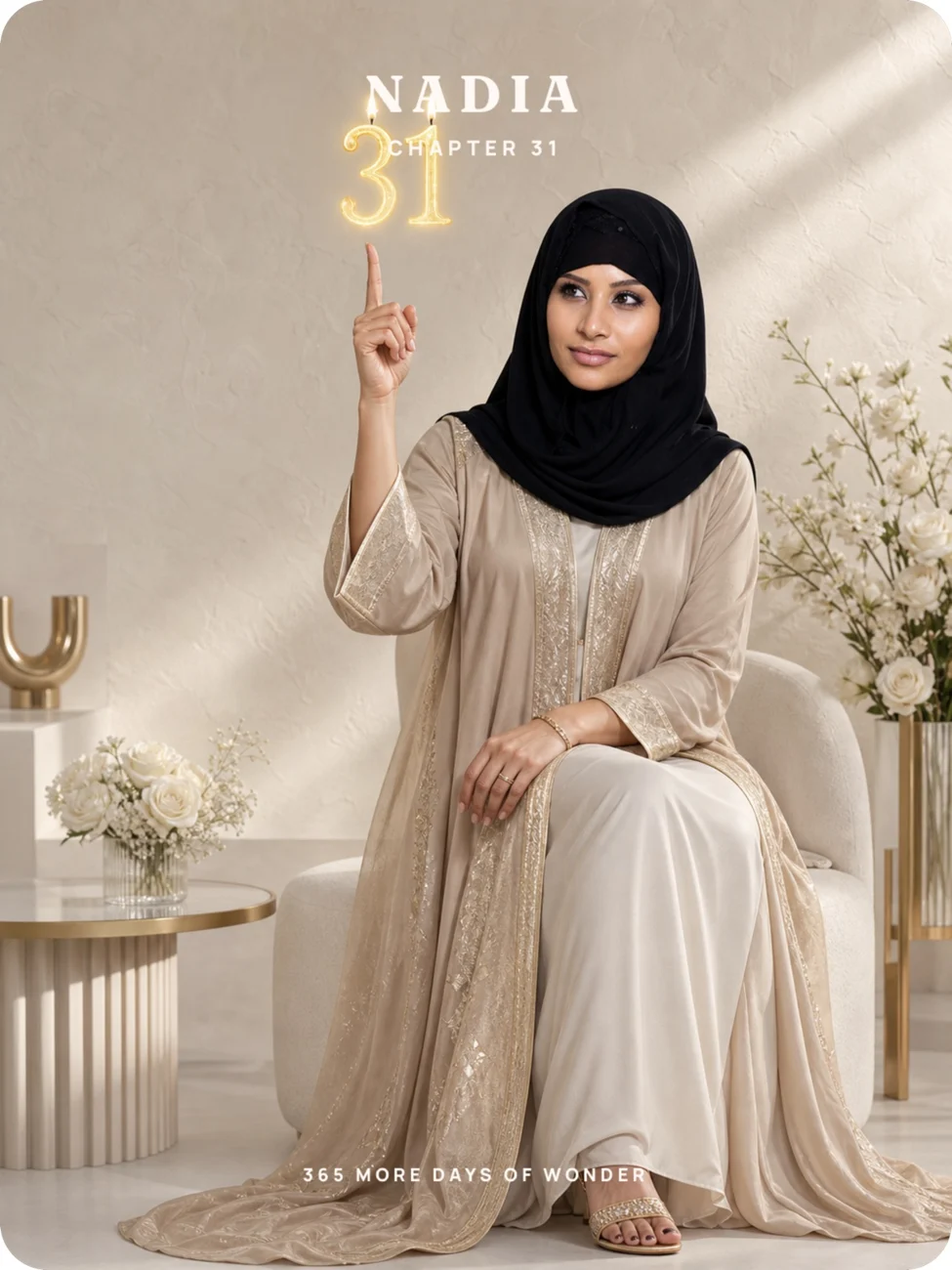
Prepare the name, age, and one personal line
Check the spelling of the name and the age before you generate. For a surprise, use the name the recipient actually likes seeing on a card. A nickname may feel warmer than a full formal name.
Keep the caption short enough to read on a phone. Instead of “Happy birthday to an amazing person,” you might write, “For the friend who makes every road trip a story.” A detail from your relationship does more work than a string of adjectives.
Make the keepsake in HoorayTime
- Select Birthday and choose a photo-based style, such as Balloon chapter or Sculpted milestone.
- Select a clear photo showing one person. Avoid a face that is partly hidden or too small to see.
- Enter the name and birthday age, then review the selected style and details.
- Generate with HoorayTime Pro and an available spark. If prompted, connect your account before viewing subscription plans.
- Check the portrait, edit the name or caption, and choose typography that stays readable against the image.
- Export the finished creation and save or share the PNG.
Make it easy to receive
Send the exported image directly when the recipient wants a simple birthday greeting. They can view that image without opening HoorayTime. Add a longer note in your message if it would crowd the portrait.
For a public birthday post, check that the person is comfortable with their face, name, and age being shared. A private message is often a better choice for a personal keepsake.
Before sending, open the final file and read every word at normal phone size. Confirm the age, look for awkward line breaks, and leave enough space around the person’s face. Editing an already generated creation does not require generating the artwork again.
A related question
Can I add a name and age to my photo birthday card?
Yes. HoorayTime’s birthday portraits support a name, milestone age, and editable caption. The age is part of the generated scene in age-based portrait styles, so confirm it before generating.
Make this moment personal.
Create with HoorayTime. New artwork requires Pro, an available spark, and an internet connection.
Get HoorayTime