To make an AI birthday photoshoot, start with a clear portrait, choose a birthday scene, add the person’s age, and generate the image. In HoorayTime, you can then edit the name and caption before exporting the finished portrait. This creates an AI image, rather than a photograph of a real studio session.
Choose the portrait before the setting
Pick a photo where the person’s face is easy to see. A recent, well-lit portrait is a better starting point than a distant group picture, a screenshot, or a heavily filtered selfie. Look for visible eyes and an unobstructed face. Use a photo you have permission to use.
The source photo gives the generator a reference for the person. It does not guarantee that every detail will stay identical. Keep the original and compare the result before sharing, especially around the eyes, hands, and facial features.
Match the birthday style to the person
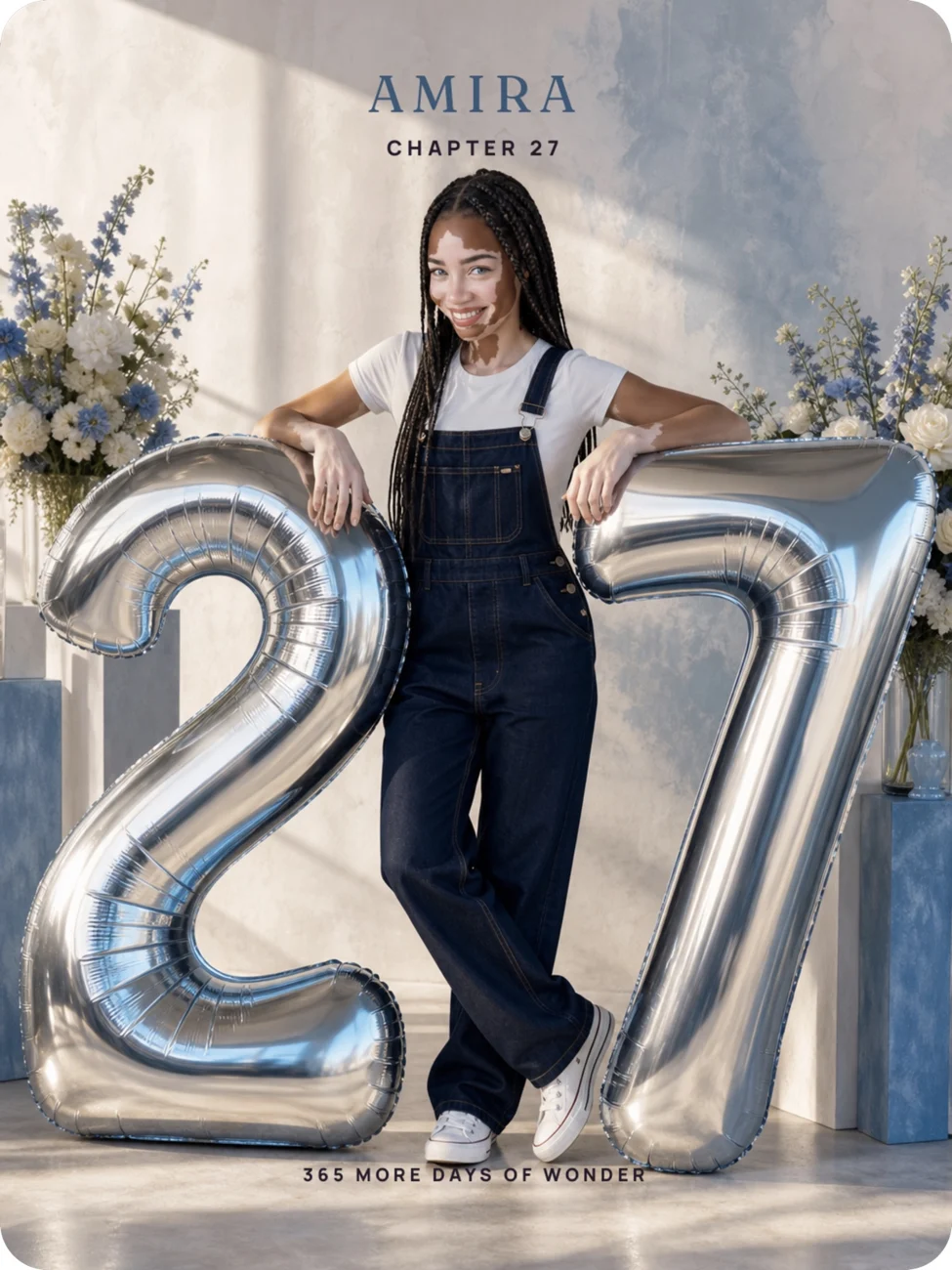
HoorayTime offers different ways to make the new age part of the image. Balloon chapter places the celebration around oversized age balloons. Marquee moment gives the number a warm, illuminated presence. Candle wish is a quieter choice built around a glowing birthday moment.
For a more architectural image, choose Sculpted milestone. For someone who loves flowers, explore Birthday portal. Choose the mood they would enjoy receiving, rather than packing every birthday symbol into one picture.
Create your birthday photoshoot in HoorayTime
- Open HoorayTime and select Birthday.
- Choose a photo-based style, then select a clear portrait when prompted.
- Add the birthday person’s name and age. Age is required for portrait styles built around a number.
- Choose the tone and review the details before generating. Connect your account and select HoorayTime Pro if you do not already have access. Generation uses an available spark.
- Inspect the result. Adjust the wording, typography, or text placement so the face and birthday number remain easy to see.
- Export the finished portrait, then save it to Photos or share it from your phone.
Finish with a caption that belongs to them
A short caption lets the picture lead. Try an original line such as “Thirty, and just getting started,” “Another year of being wonderfully you,” or “Here’s to the chapter ahead.” Replace a general phrase with a detail about the person when you can.
Use the final export rather than a screenshot of the editor. HoorayTime’s finished PNG is 1200 × 1600 pixels. Check how your chosen social app frames that portrait before posting; a different aspect ratio can crop the name or number.
A related question
Do I need to write an AI birthday photoshoot prompt?
HoorayTime uses curated birthday styles, so you choose a style and provide the requested details instead of writing a long image prompt.
Make this moment personal.
Create with HoorayTime. New artwork requires Pro, an available spark, and an internet connection.
Get HoorayTime